

How Pricing Works
Usage-Based
Pay for what you use. No tiering, no surcharges, no hidden fees. Contact sales for per-minute rates.
Prepaid Credits
Top up your balance before calls. Credits are consumed in real-time as agents handle calls.
Phone Number Fees
Monthly fee per number plus per-minute inbound/outbound rates. Contact sales for details.
Get Pricing
Contact our sales team for detailed pricing, volume discounts, and a cost breakdown tailored to your use case.
Subscriptions & Plans
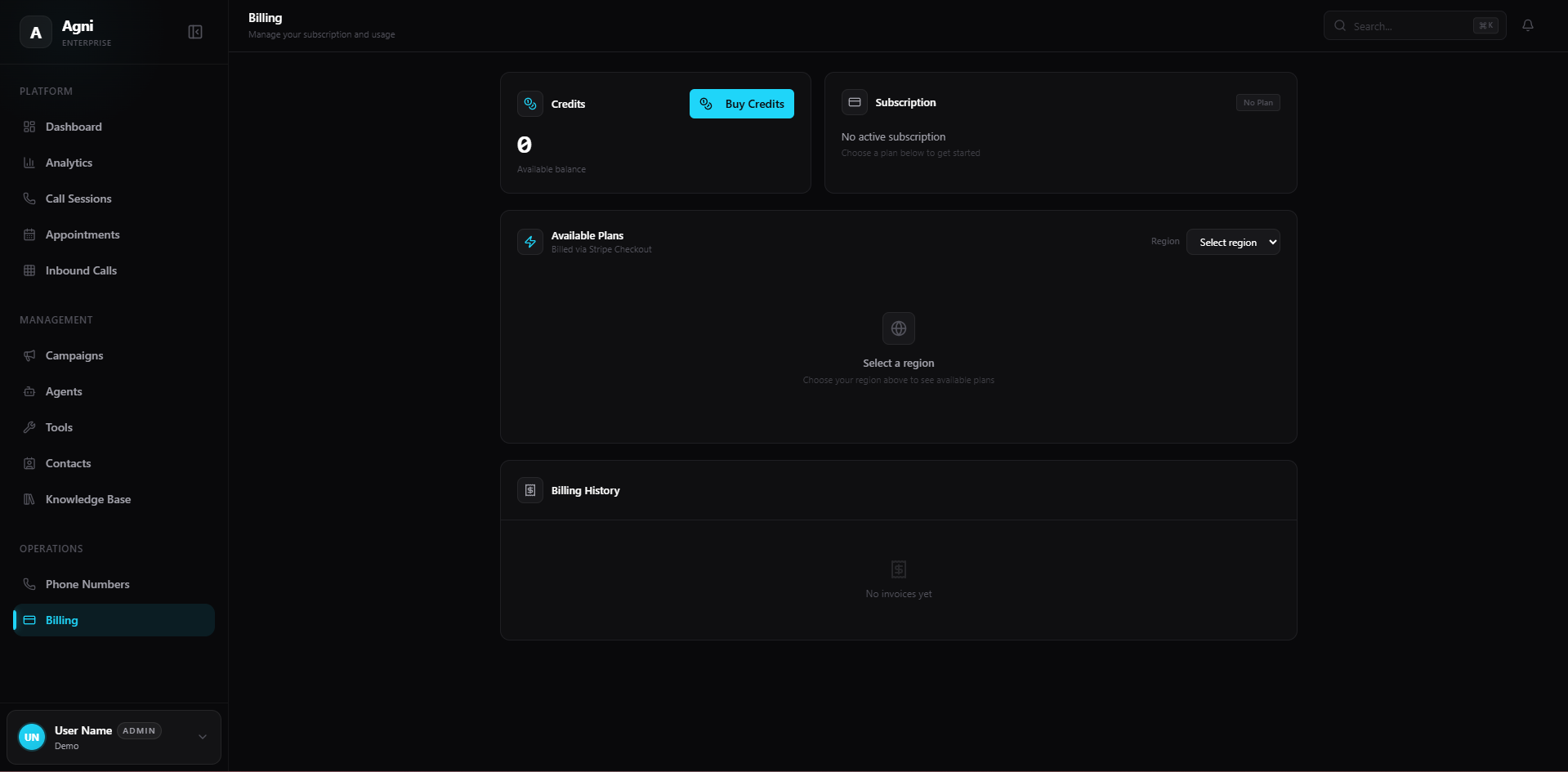
Manage your platform access and subscription.Available Plans
Agni offers dynamic subscription tiers based on your location. Click the Select region dropdown to view the plans available to your workspace. All subscriptions are processed securely via Stripe.
Subscription Overview
Displays the status of your currently active tier. Click the Portal button to be redirected to your secure Stripe Customer Portal, where you can upgrade, downgrade, cancel, or update your payment methods.
Credits & Usage
Because real-time voice AI incurs immediate compute and telephony costs, Agni uses a prepaid credit system for call volume. Your agents consume these credits dynamically as they handle live calls.Available Credits
Displays your organization’s current, real-time credit balance. Keep an eye on this metric to ensure your agents stay online.
Buy Credits
Click this button to top up your account. Adding funds takes only a few seconds and applies to your workspace instantly.
Billing History
At the bottom of the page, the Billing History table provides a transparent ledger of your past transactions. Whether you are purchasing prepaid credits or paying for your monthly subscription plan, your official invoices and receipts will automatically populate in this table. You can download them at any time for your accounting and tax records.Cost Optimization Tips
Set max call duration limits
Set max call duration limits
In your agent’s Call Settings, set a Max duration to prevent runaway calls from consuming excessive credits. 10 minutes (600,000ms) is a good default for most use cases.
Enable end-call-on-silence
Enable end-call-on-silence
Turn on End call after silence in your agent settings to automatically disconnect calls where the caller has gone silent, avoiding wasted minutes.
Monitor analytics weekly
Monitor analytics weekly
Check the Analytics dashboard regularly. Watch for unexpected spikes in call volume or duration that could indicate prompt issues or campaign misconfiguration.
Use the right model for the job
Use the right model for the job
Not every use case needs the most expensive model. For simple routing or FAQ agents, a lighter model with lower temperature may perform just as well at lower cost.