

How Inbound Routing Works
When someone calls one of your Agni phone numbers, the platform checks your dispatch rules to determine which agent should answer. The connection happens in under 300ms — the caller hears the agent’s welcome message almost instantly.Create an Inbound Route
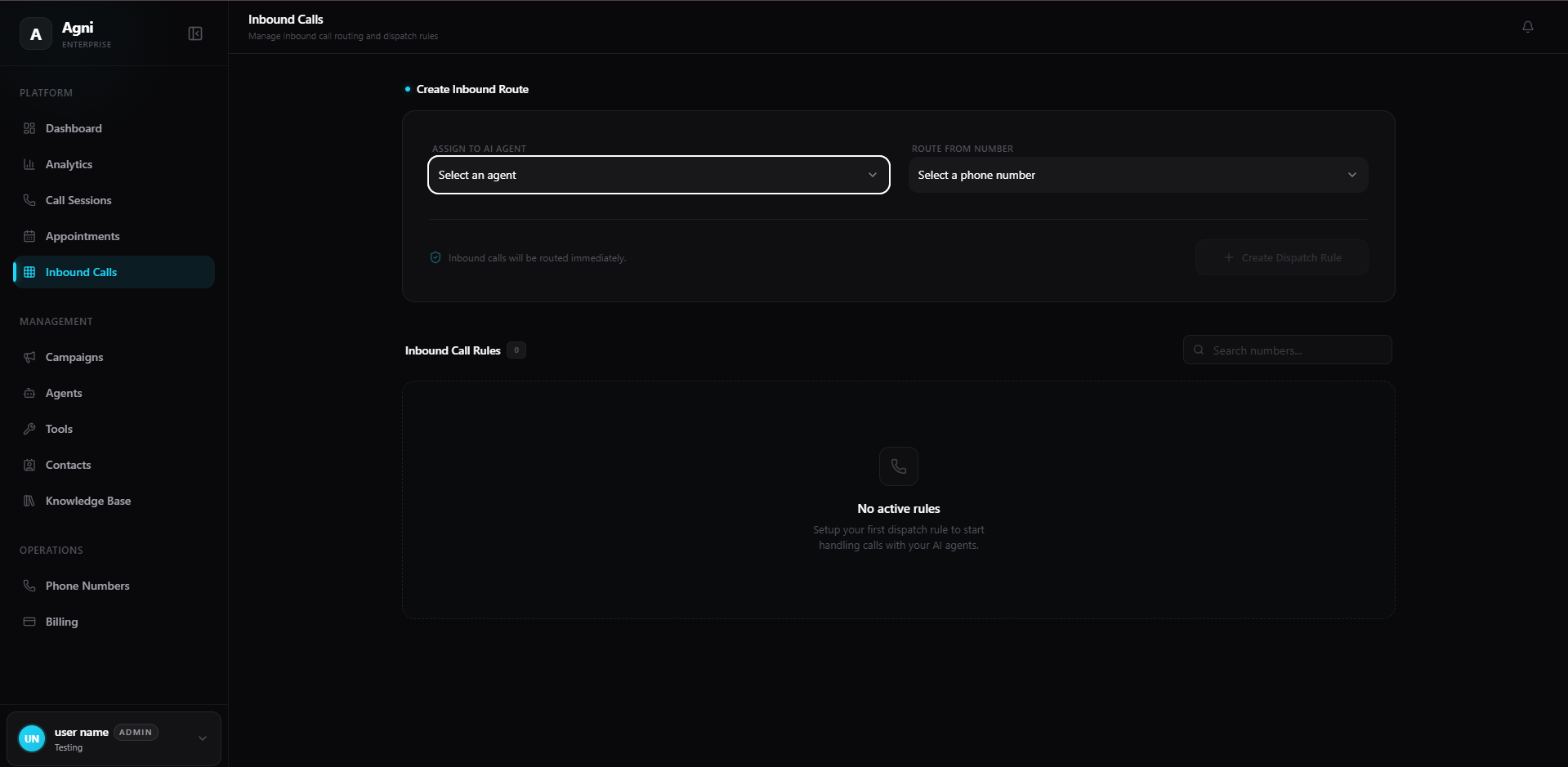
Setting up a new dispatch rule takes only a few clicks. Once configured, inbound calls are routed immediately with zero delay.Assign to AI Agent
Click the Select an agent dropdown to choose the specific AI assistant you want to handle the incoming calls. This list populates from the agents you have created in your workspace.
Route From Number
Click the Select a phone number dropdown to choose the inbound line. This list includes any numbers you have purchased or imported via the Phone Numbers page.
1-to-1 Mapping: Each phone number can only be routed to a single agent at a time. If you need to change the agent handling a number, delete the existing dispatch rule first, then create a new one.
Active Dispatch Rules
Once created, your routes will appear in the Active Dispatch Rules section. This list provides a clear overview of all your live connections:- Phone Number — The inbound number being routed.
- Agent — The AI agent assigned to answer calls.
- Status — Whether the route is active and working.
- Actions — Delete the rule to disconnect the routing.
Common Patterns
One agent, one number
One agent, one number
The simplest setup. Buy a number, assign it to an agent, and you’re live. Ideal for a single product line or department.
Multiple numbers, different agents
Multiple numbers, different agents
Buy separate numbers for sales, support, and billing. Create a dispatch rule for each, routing to specialized agents with different prompts and tools.
Campaign-specific numbers
Campaign-specific numbers
Use unique phone numbers for different marketing campaigns or ad channels. Route each to the same agent but use dynamic variables to track which campaign the caller came from.
Prerequisites
Before creating dispatch rules, make sure you have:At least one agent
Create and test an agent before routing live calls to it.
At least one phone number
Purchase or import a phone number to use as the inbound line.
API Reference
To manage phone numbers and agents programmatically, refer to the following API endpoints:Telephony API
List, buy, and manage the phone numbers available for routing.
Agent API
Retrieve the list of your configured AI agents to use in dispatch rules.