

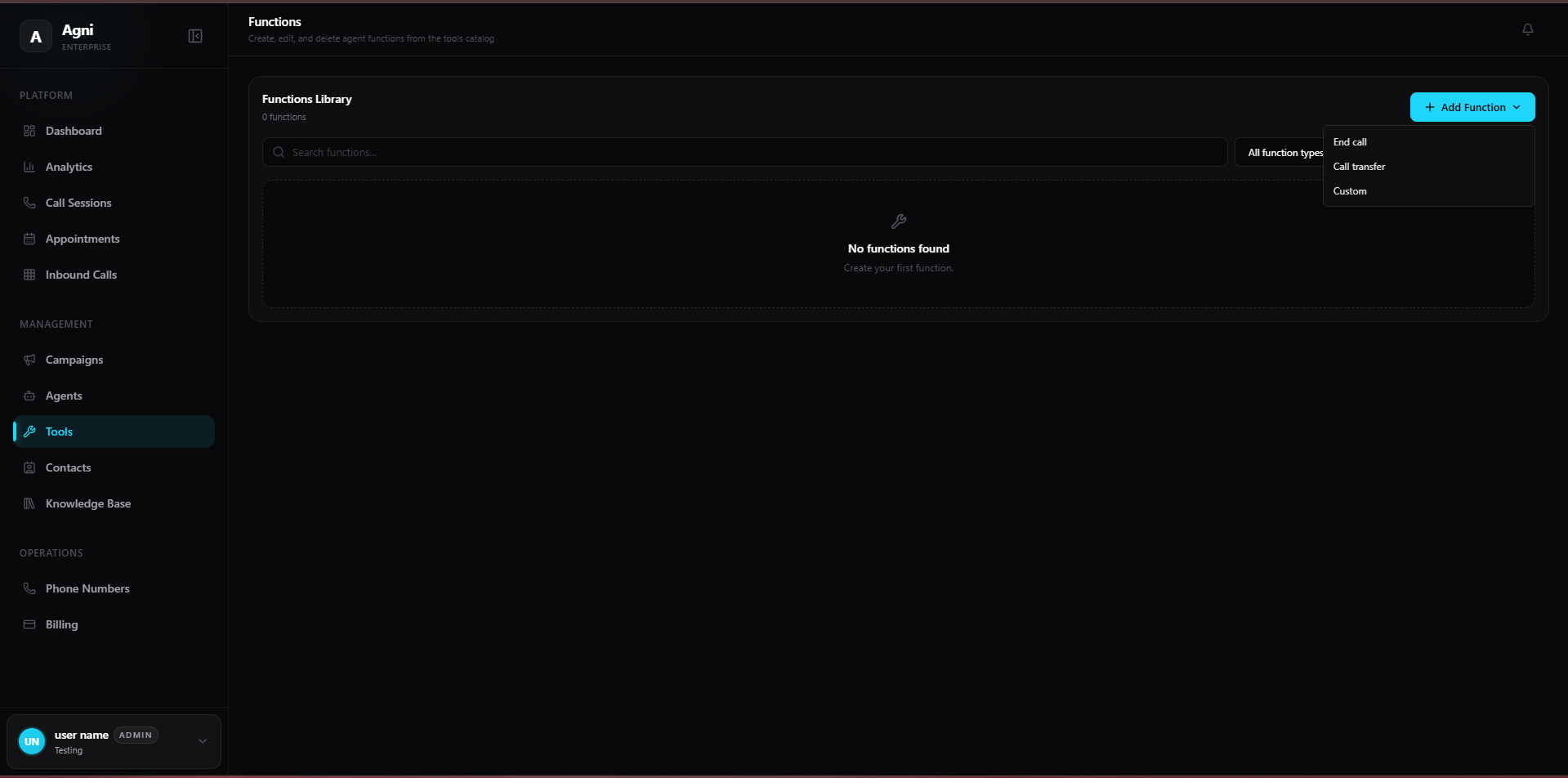
How Tools Work
When a tool is attached to an agent, its name and description are injected into the LLM’s context window. During a conversation, the AI decides when to invoke a tool based on the description you provide. This means:- The description is the single most important field — it tells the AI when and why to trigger the tool.
- The name should be a clear, lowercase identifier (e.g.,
end_call,transfer_to_support). - Tools execute instantly during the call — the caller doesn’t notice any delay.
Key insight: Think of the tool description as a prompt. The more specific and contextual your instructions, the more accurately the AI will know when to fire the tool.
Adding a Function
To create a new tool, click the + Add Function button in the top right corner of the Functions Library. Agni supports the following built-in function types: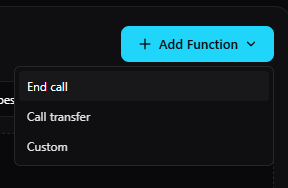
1. End Call
The End Call function allows the AI agent to politely and intentionally hang up the phone when a conversation has naturally concluded or a specific objective has been met.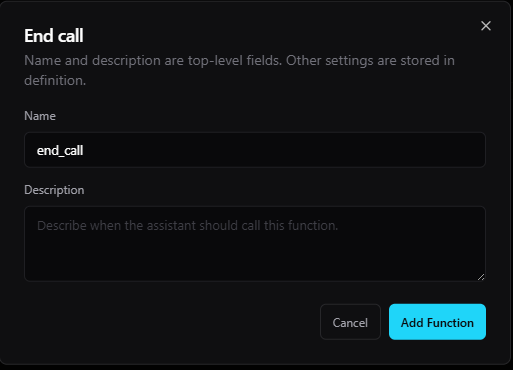
- Name: The internal identifier for the function (e.g.,
end_call). - Description: A natural-language instruction telling the AI exactly when it should trigger this function.
2. Call Transfer
The Call Transfer function allows the AI to route an active caller to a human agent, a different department, or an external SIP address.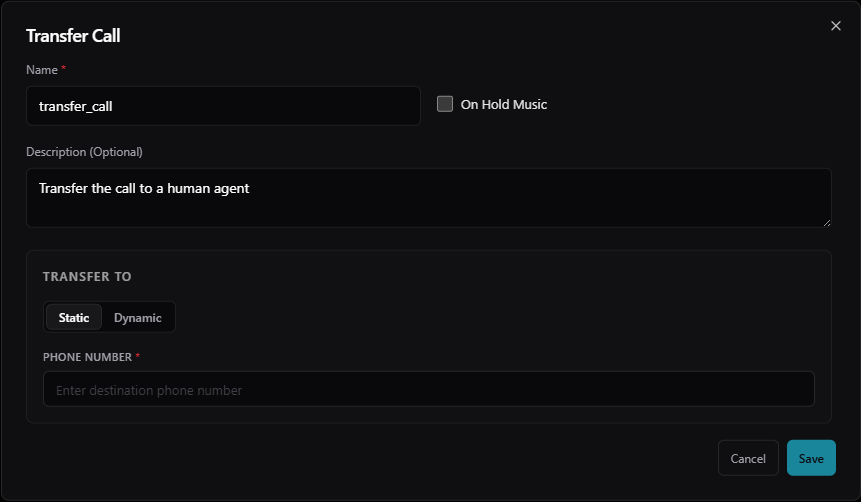
- Name: The identifier for the AI to call (e.g.,
transfer_to_support). - On Hold Music: Toggle this on to play holding music while the transfer connects.
- Description: Tell the AI when to trigger the transfer.
- From Section: Define the originating identity of the transfer. You must provide the SIP address and the associated Phone Number.
- To Section: Define the Destination Phone Number where the call should be routed.
Best Practices
Write descriptions like you're training a new employee
Write descriptions like you're training a new employee
Don’t assume the AI knows your business logic. Spell out the exact conditions, in plain English, for when each tool should fire. Include edge cases.
Test every tool in the web call simulator
Test every tool in the web call simulator
Before going live, use the agent testing interface to verify your tools fire at the right moments. Try to trick the AI into firing them at the wrong time.
Keep tool names short and descriptive
Keep tool names short and descriptive
Use
end_call, transfer_to_billing, check_order_status — not tool1 or myFunction. The name is part of the LLM’s context.One tool per action
One tool per action
Don’t try to overload a single tool with multiple behaviors. Create separate tools for separate actions — it gives the AI clearer decision boundaries.
Managing Tools via API
You can create, update, and delete tools programmatically using the Agni REST API. This is useful for automating tool deployment across multiple agents.Create Tool
Define a new tool with a JSON Schema definition via the API.
List Tools
Retrieve your entire library of configured functions.
Update Tool
Modify a tool’s name, description, or definition.
Delete Tool
Remove a tool from your library.